

Canvas has a built-in gradebook that lets you view your grades for individual assignments as well as your overall course grade at any time. Checking your grades regularly is a good way to stay on top of your progress throughout the semester. Keep in mind that grades only appear after your instructor has graded and posted them.
- Log into Canvas and open your course.
- Click Grades in the course navigation menu on the left.
- Your grades will display in a table showing each assignment, your score, and the total points possible.
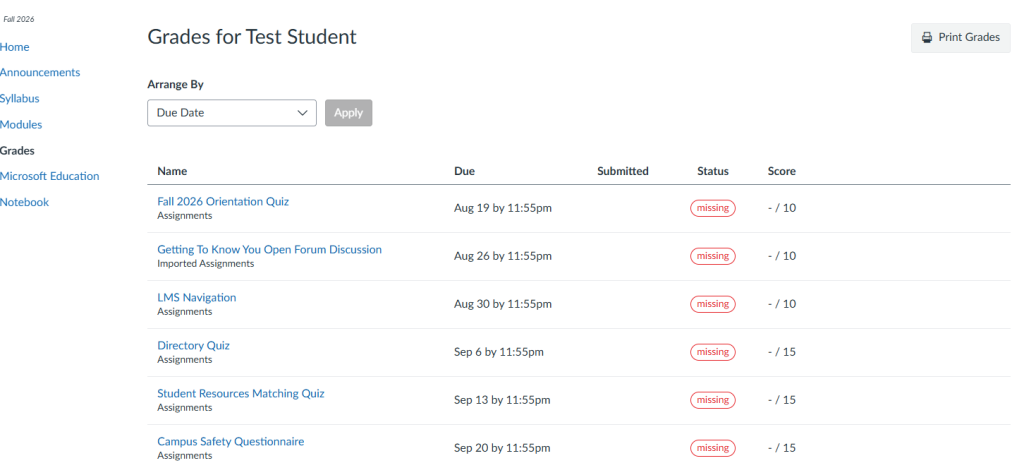
- Click on any assignment name to see instructor feedback or comments.
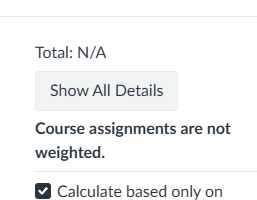
- Your running total or final grade, if enabled by your instructor, will appear at the top or bottom of the page.
- Top view:
-
-
- Bottom View
-
