

Discussion forums in Canvas are spaces where your instructor posts a prompt and students respond, share ideas, and reply to one another, similar to an online conversation. Discussions are often graded, so it’s important to follow your instructor’s guidelines for post length, response requirements, and due dates. You can format you posts with text, links, images, and even video depending on the assignment.
- Find the discussion title in Modules to open it and read the prompt.

- Click Reply to post your response in the text box.
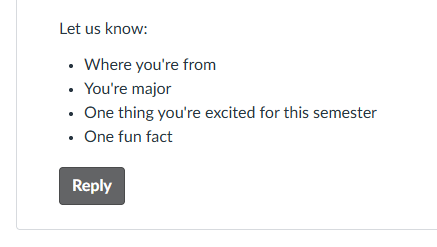
- Format your response using the toolbar if needed, then click Reply.
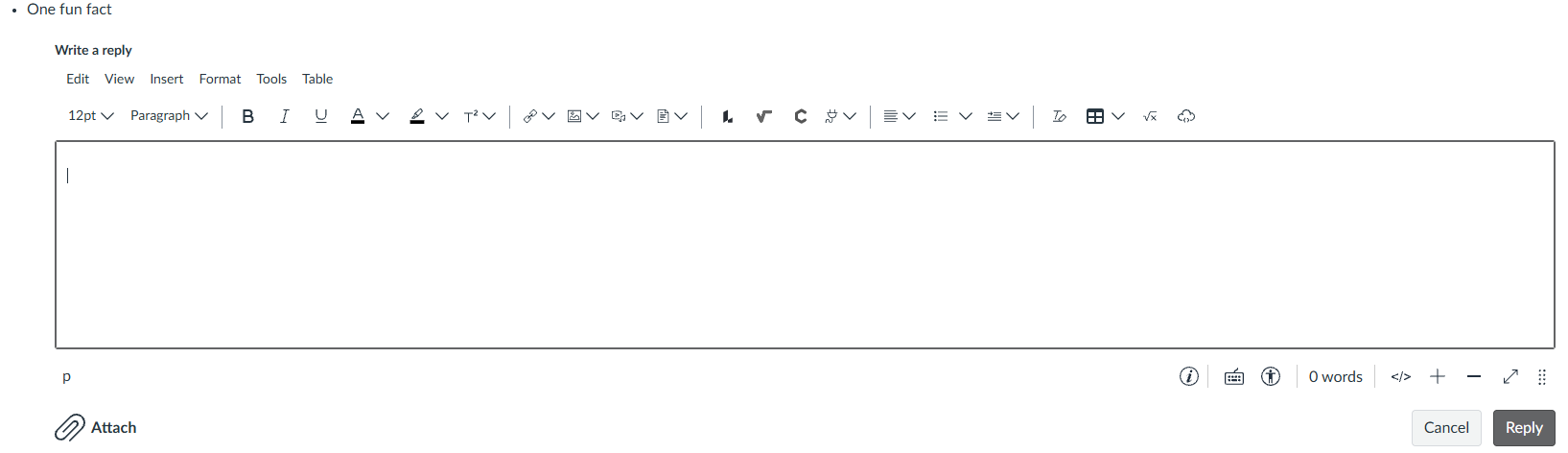
- To reply to a classmates post, click Reply underneath their response.
Please note, some discussions are set up so you must post your own reply before you can see your classmates’ responses.